Skip to content

The product

Shift scheduling & employee management

The week, across every site, on one grid — and the people behind it.

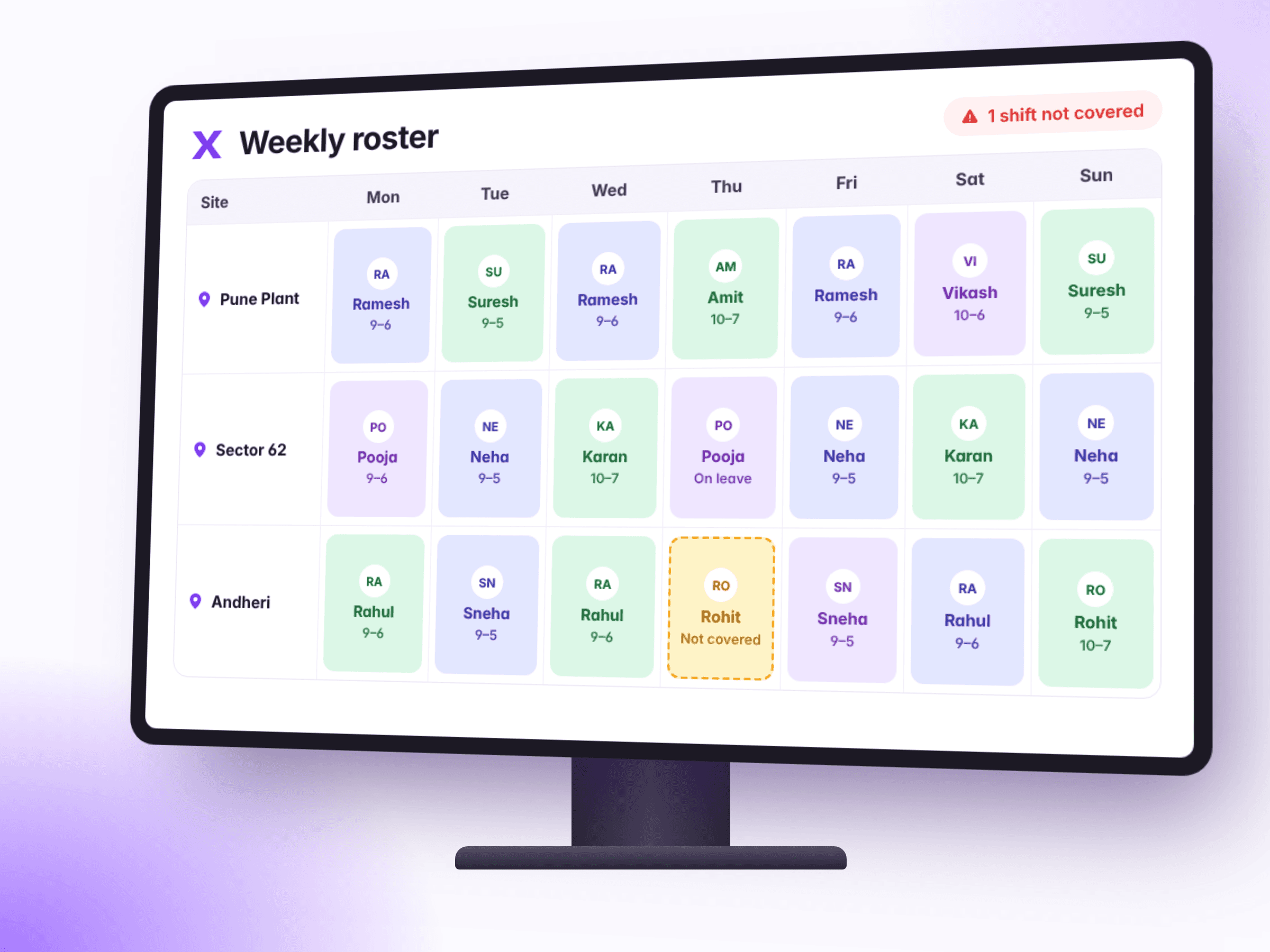
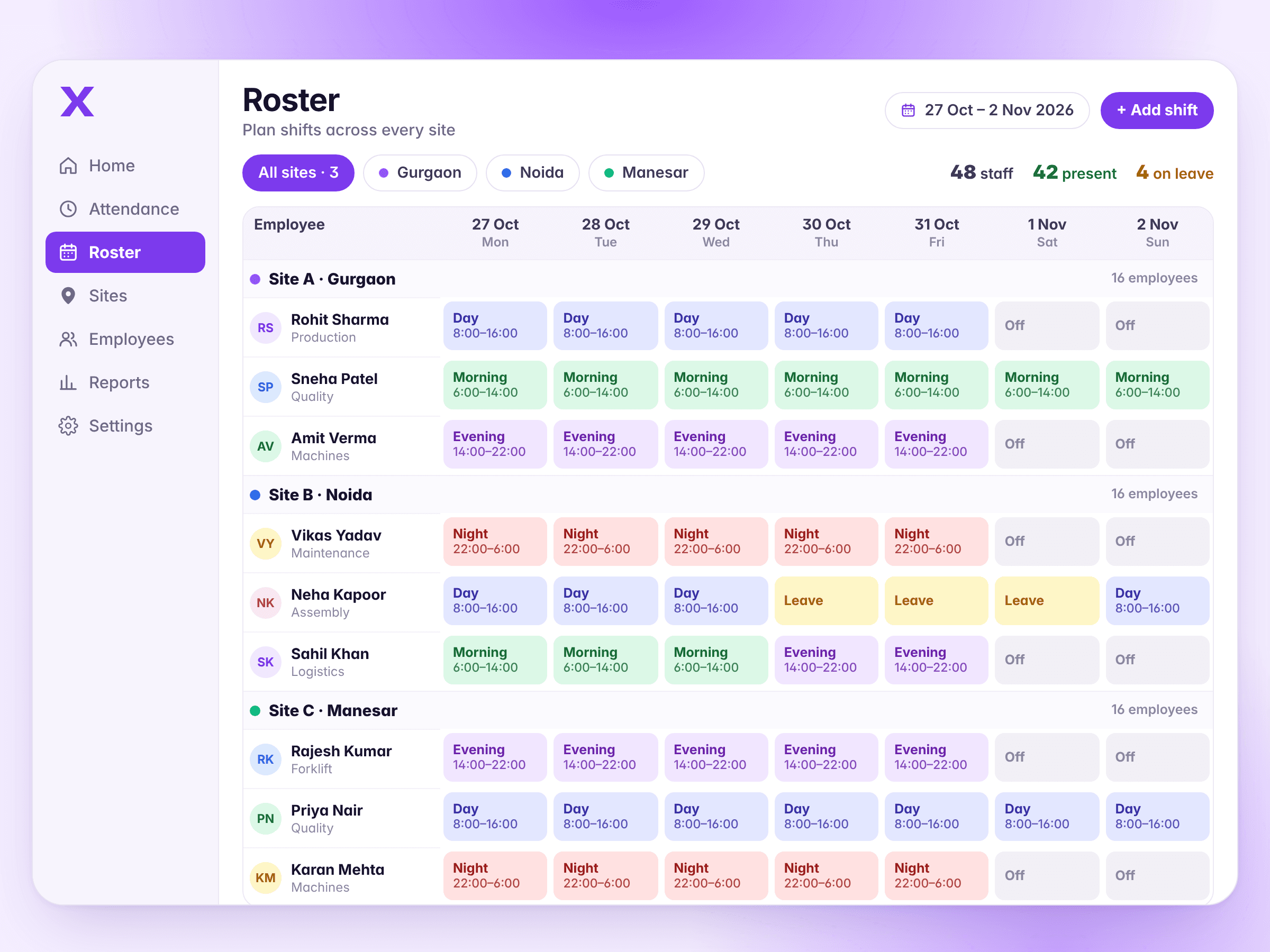
A full week's roster across three sites in Timix, with each person's shifts, days off and leave

How it works

Shifts & rosters, step by step

  1. Define the shifts

    Start, end, break and the site they belong to.

  2. Fill the week

    Assign people to shifts on the grid, across as many sites as they work.

  3. Compare

    Check-ins land against the roster, and the difference is what the dashboard shows you.

01

Shifts & rosters

The week, across every site, on one grid

  • Patterns, then people
  • One grid over every site
  • Holidays and days off are part of it
  • It gives lateness a meaning

What it doesn't do. This is a roster you build, not one that builds itself. There is no auto-scheduler weighing availability, cost and skills — for most agencies at this size the constraint is who is willing to work Sunday nights, which no optimiser knows.
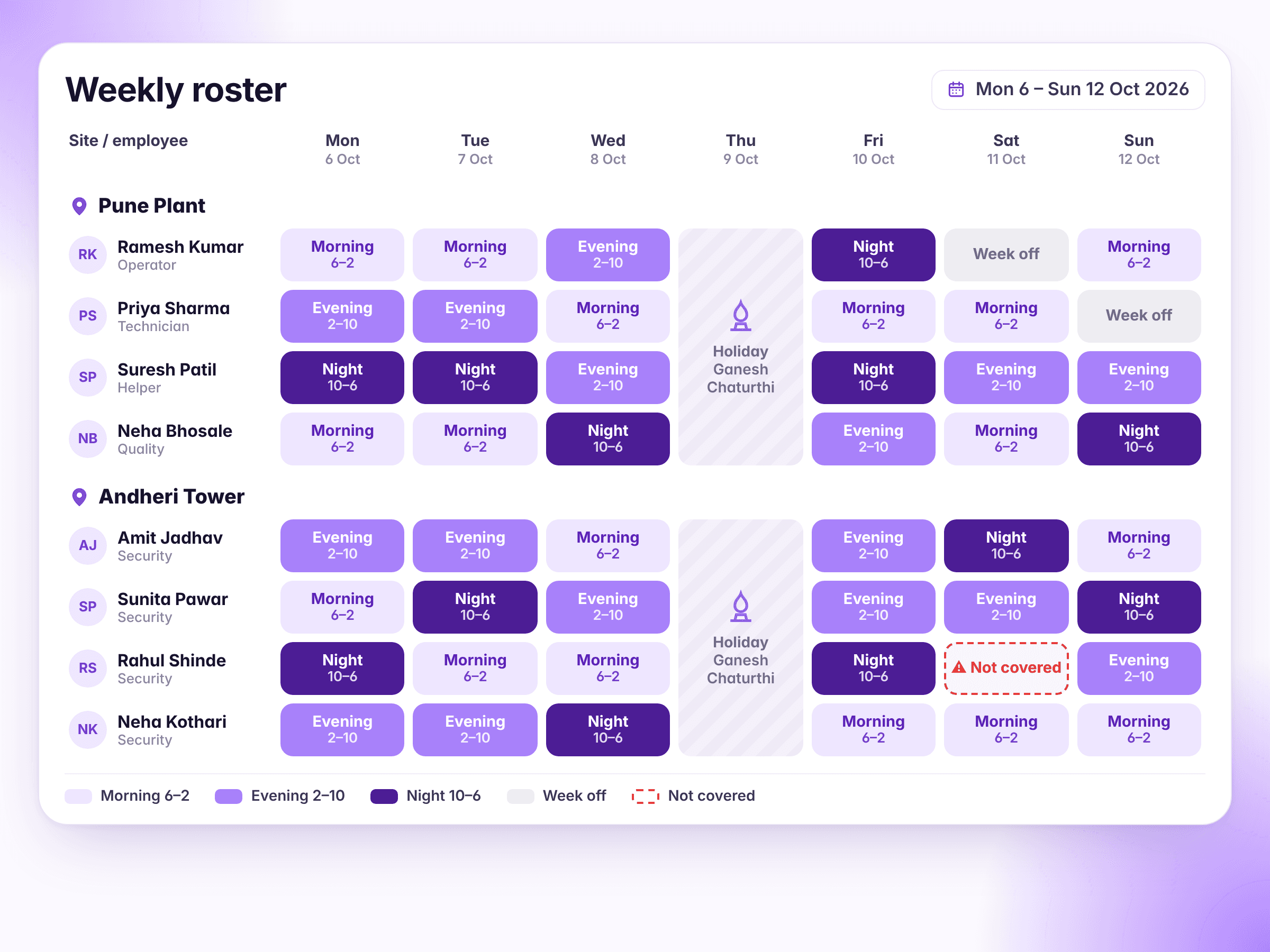
A week's roster for Pune Plant and Andheri Tower in morning, evening and night shifts, with a holiday on Thursday and one night not covered

02

Late & no-show alerts

You hear it from us, not from the client

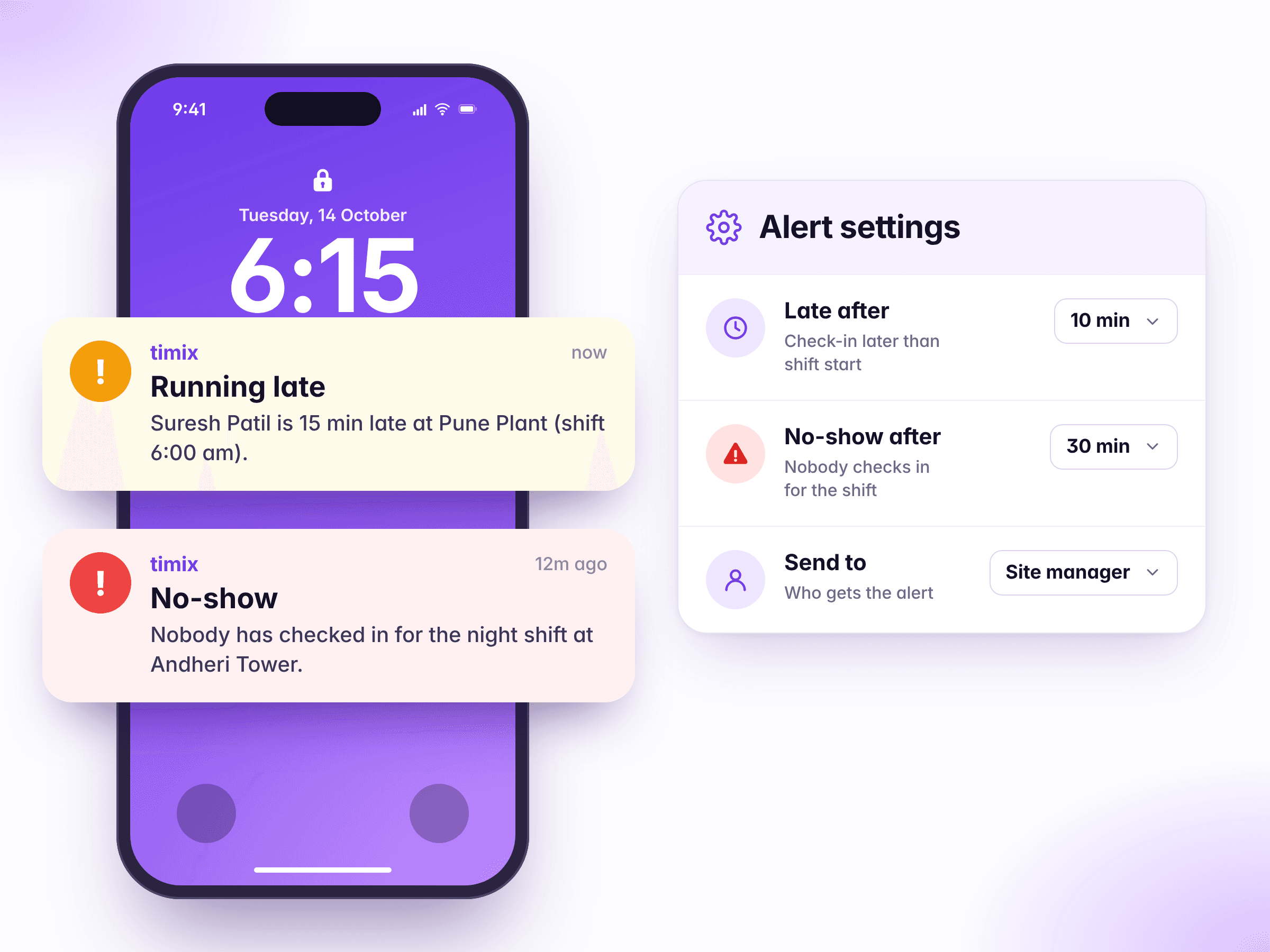
  • Your threshold, not ours
  • Late and never-arrived are different alerts
  • One alert per person per day
  • It goes to whoever is responsible

What it doesn't do. The alert tells you a shift is uncovered. It doesn't find you a replacement, and it can't tell an offline check-in in a basement from an absence until the phone syncs.

Two alerts on a phone, one person running late and one shift with nobody checked in, next to the thresholds that set them off

03

Leave

Your leave policy, written down once and applied the same way every time

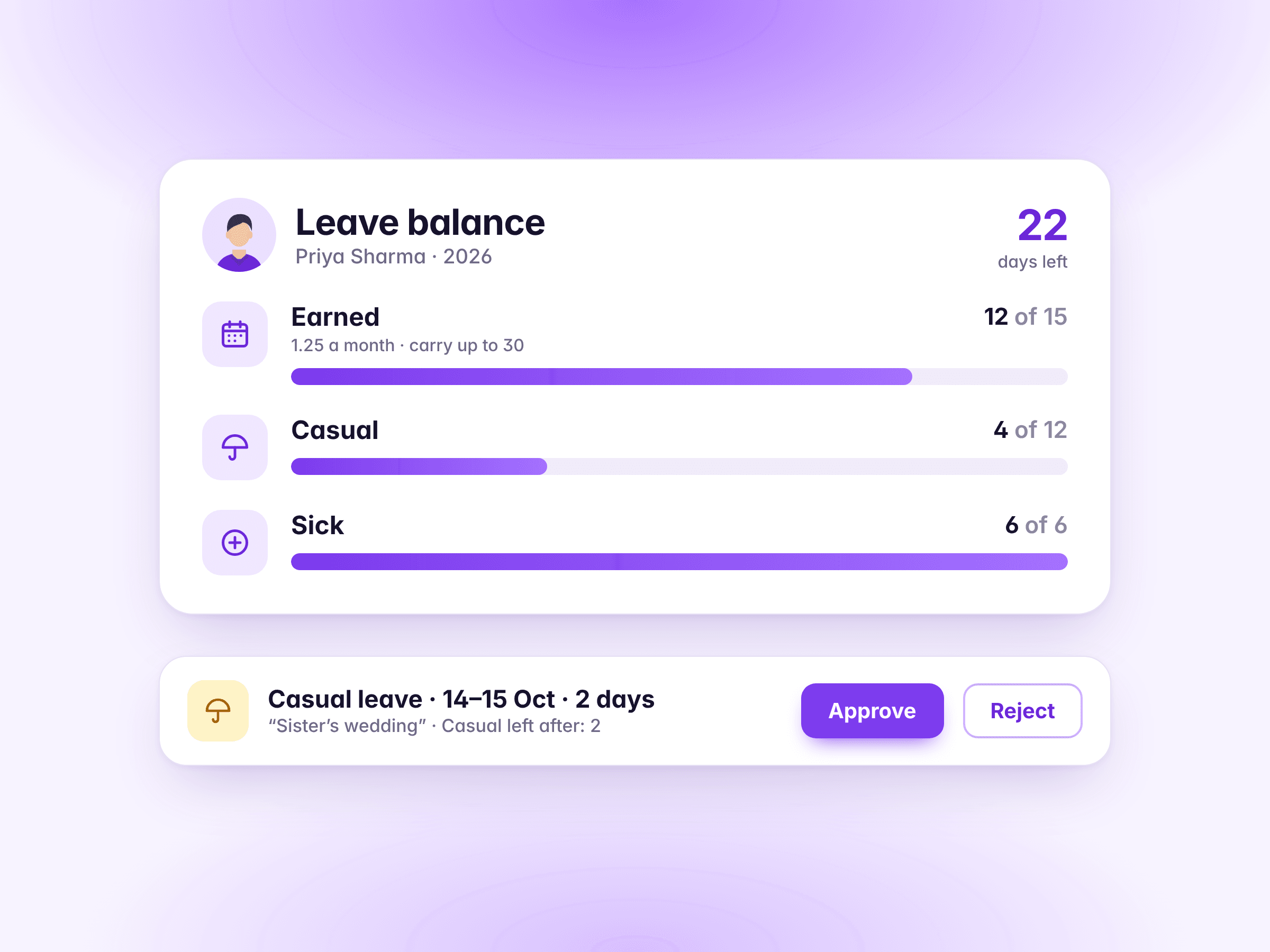
  • Earned the way your policy says
  • Carry forward, with or without a cap
  • Half days and sandwich leave
  • Paid out when somebody leaves

What it doesn't do. Timix warns an employee who asks for more than they have, but doesn't stop them — the manager decides. Two-level approval and a team leave calendar aren't built yet.

Priya Sharma's leave balance, and a casual leave request to approve or reject

04

Joining & exit papers, letters

The papers you need from people, and the letters you give them

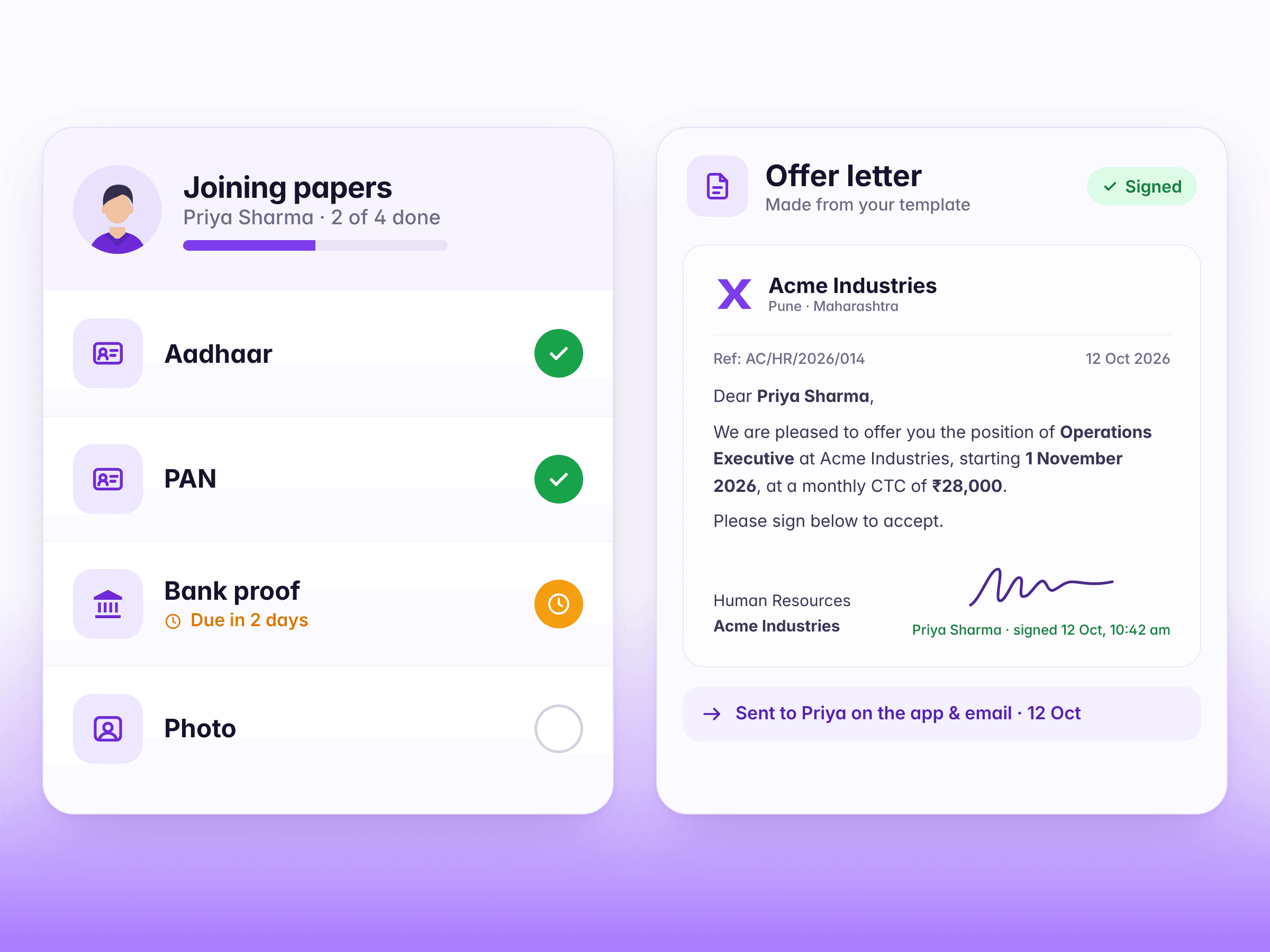
  • A checklist for joining and leaving
  • Staff upload from their phone
  • 28 letters, edited like Word
  • Signed in the app, with proof

What it doesn't do. Signing is an on-screen signature or a code, not Aadhaar eSign. A company can hold salary until joining papers are in, but it's off unless switched on.

A joining checklist with two papers in and two to go, beside an offer letter signed in the app

05

Announcements & WhatsApp alerts

Tell everyone at once — in the app, by email or on WhatsApp

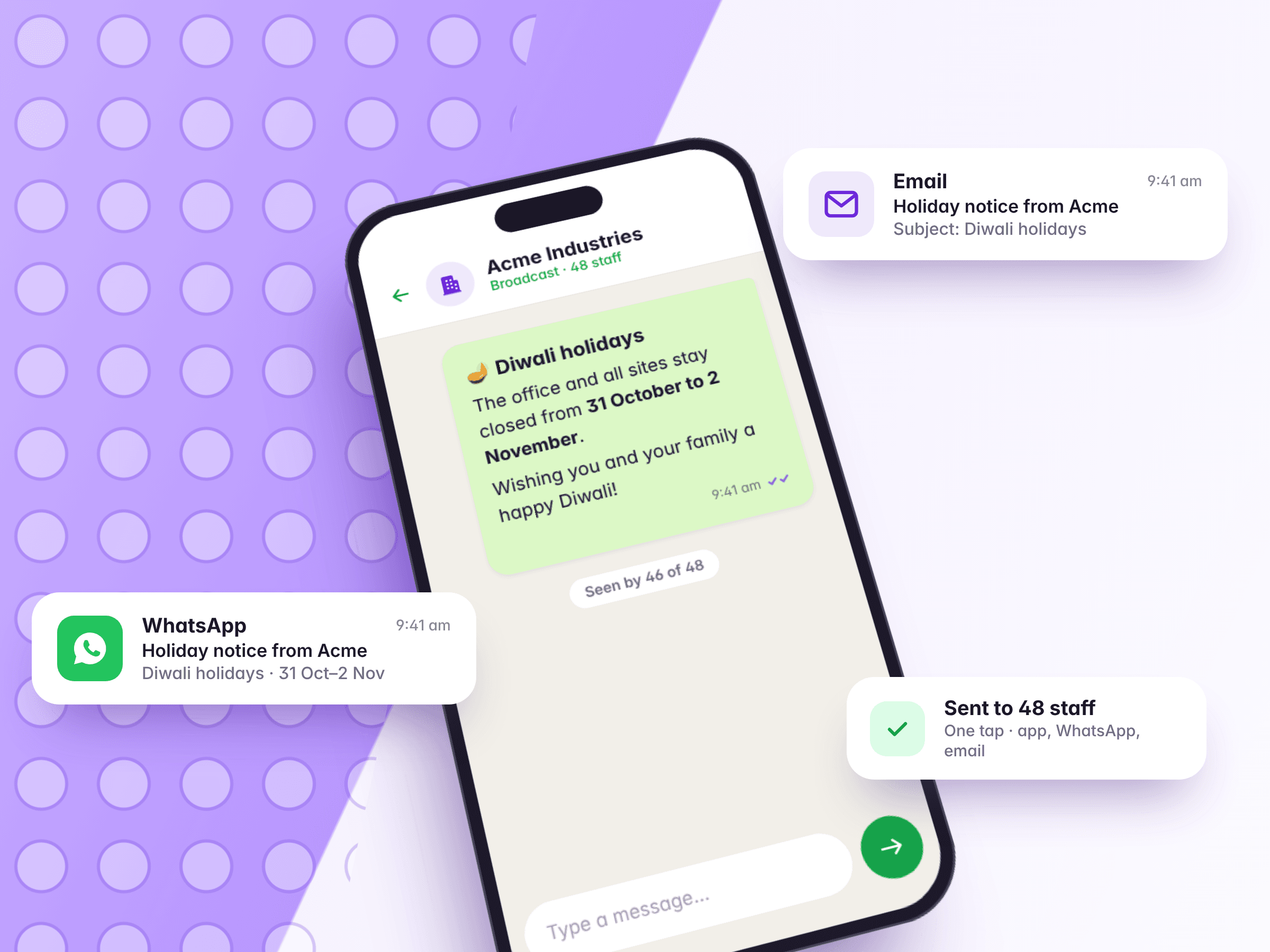
  • Written once, sent every way you tick
  • See who got it
  • The owner hears about problems on WhatsApp
  • Quiet by default

What it doesn't do. WhatsApp is send-only: staff can't reply to request leave or ask a question there. Wishes and celebrations go by app and email only.

One holiday notice sent three ways: the app, WhatsApp and email

Also included

The everyday things, handled too

  • Add all your staff at once from an Excel sheet

  • Post one person at several sites, and remove them from any one

  • Track uniforms, phones and keys given to staff, and what came back

  • Managers suggest a new site from their phone; you approve it

See it for yourself

Twenty minutes on your own sites is worth more than any page about it.

Your roster, your gates, your pay rules — and we'll tell you where it doesn't fit as well as where it does.

A weekly roster across three sites, with one person on leave and one shift not covered