
Attendance · Shifts · Payroll
Know who turned up, where, and for how long.
Attendance, shifts and payroll for teams spread across sites. Every check-in records the site, the time and how it was made — so “he was there” stops being a matter of opinion.
The product
Everything the operation runs on
Four groups, 21 feature pages — from the check-in at the gate to the payslip at the end of the month.
01
GPS attendance & site checks
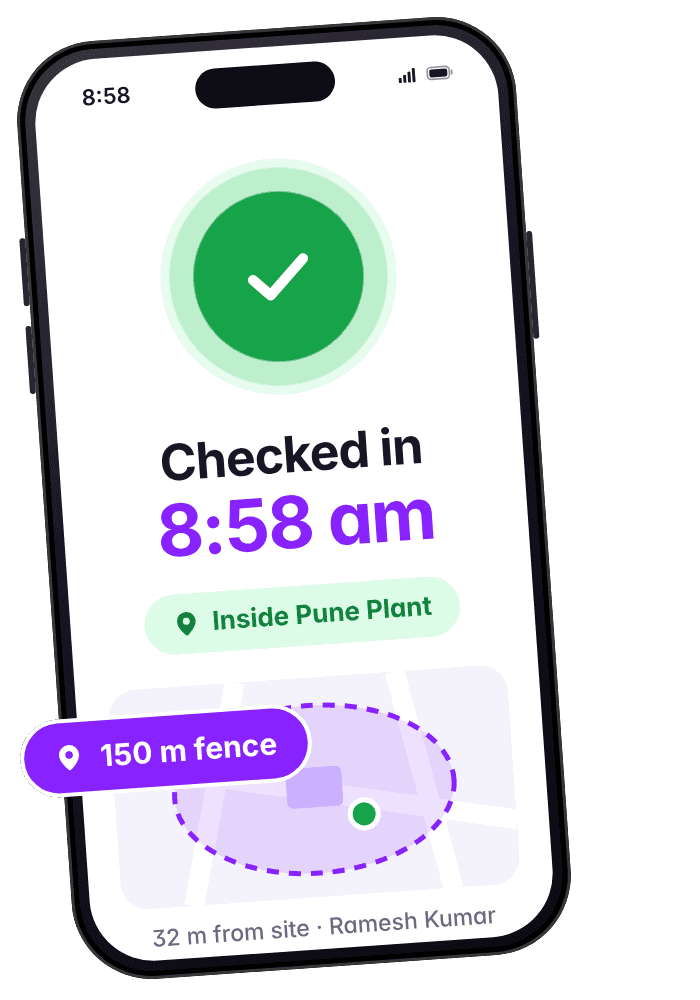
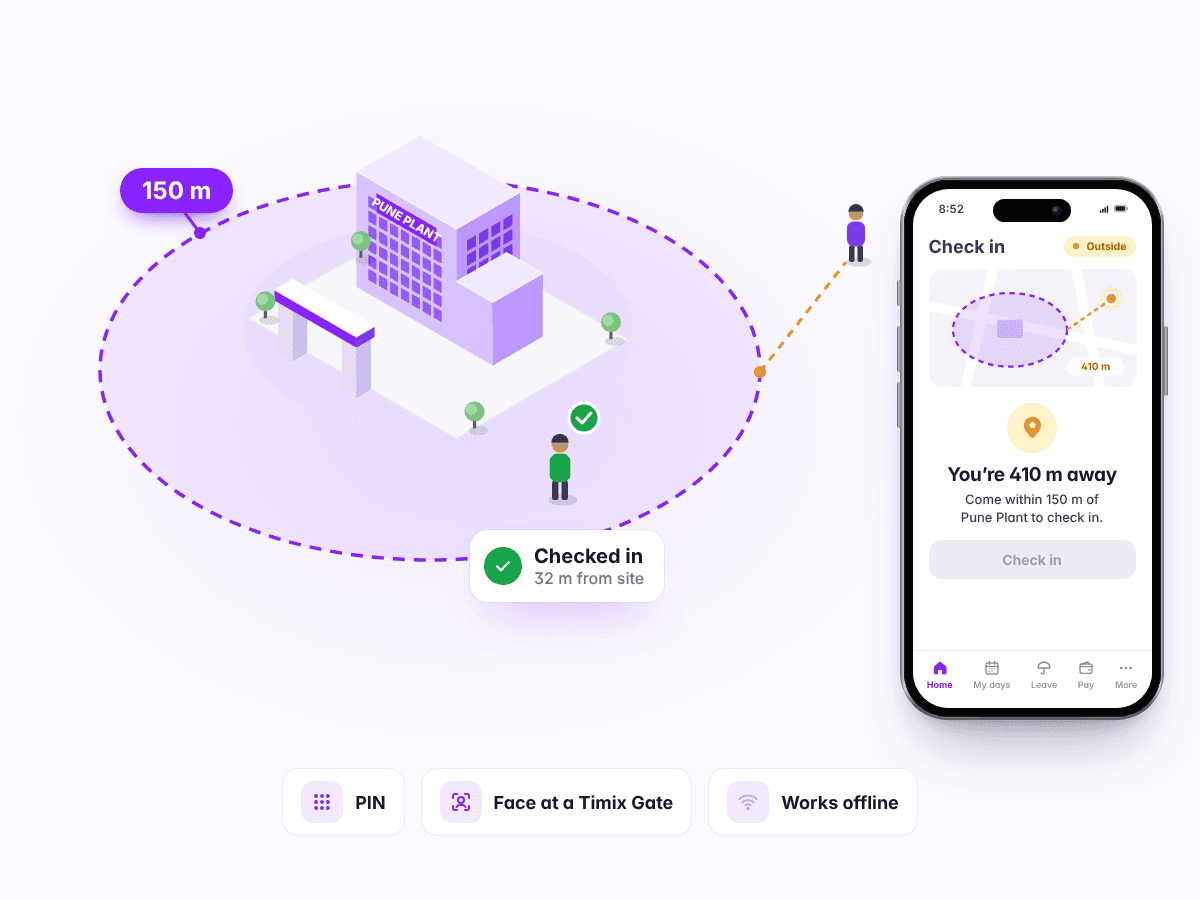
Staff check in inside each site's fence, with a PIN, or by face at a Timix Gate, and the record keeps the distance and the time. Wrong days are corrected with the reason on record.
- Geofenced check-in
- Identity at check-in
- Buddy punching & fake GPS
- Works offline
- Proof-of-presence checks
- Timix Gate
- Attendance corrections
02
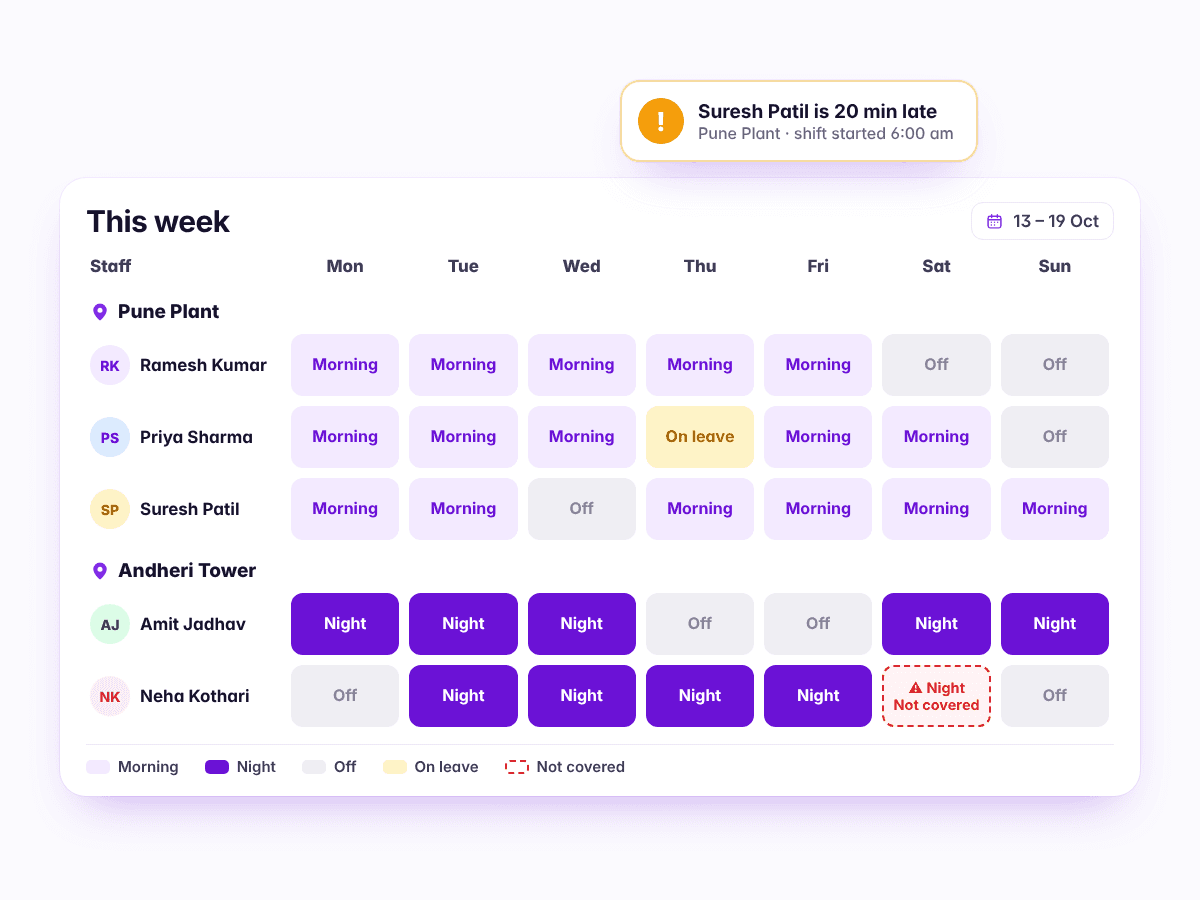
Shift scheduling & employee management
Build the week across every site, hear about a late or missing guard before the client does, run leave by your own policy, collect joining papers and issue letters, and tell everyone at once.
- Shifts & rosters
- Late & no-show alerts
- Leave
- Joining & exit papers, letters
- Announcements & WhatsApp alerts
- Add all your staff at once from an Excel sheet
- Post one person at several sites, and remove them from any one
- Track uniforms, phones and keys given to staff, and what came back
- Managers suggest a new site from their phone; you approve it
03
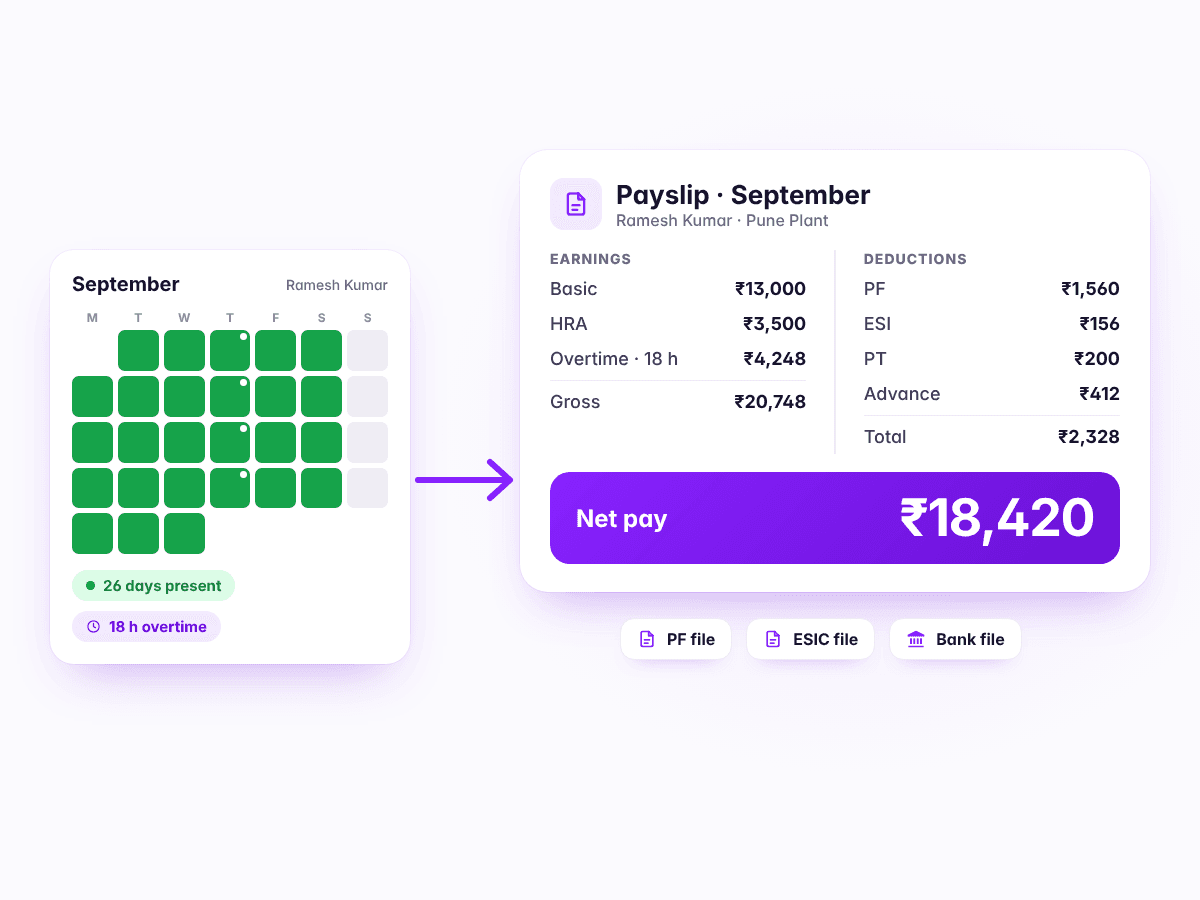
Payroll, compliance & expenses
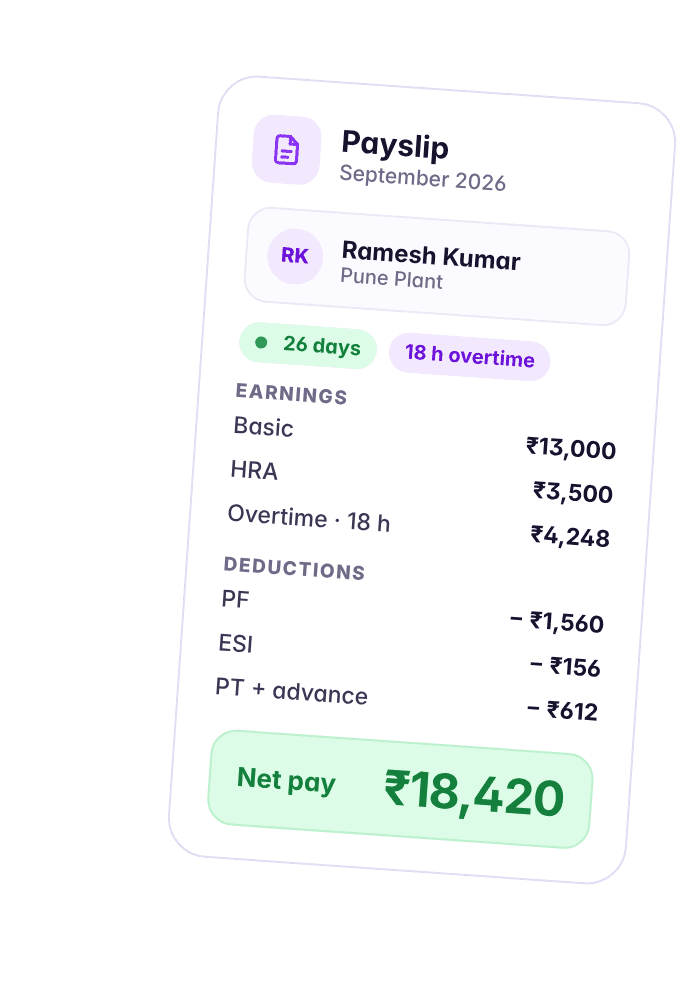
Payroll builds itself from the check-ins your staff already made — PF, ESI, PT and minimum wages included — with the files for the portals, staff housing deductions, and a full and final settlement when someone leaves.
- Payroll & payouts
- PF, ESI, PT & minimum wages
- Expenses, advances & loans
- Full & final settlement
- Staff housing
04
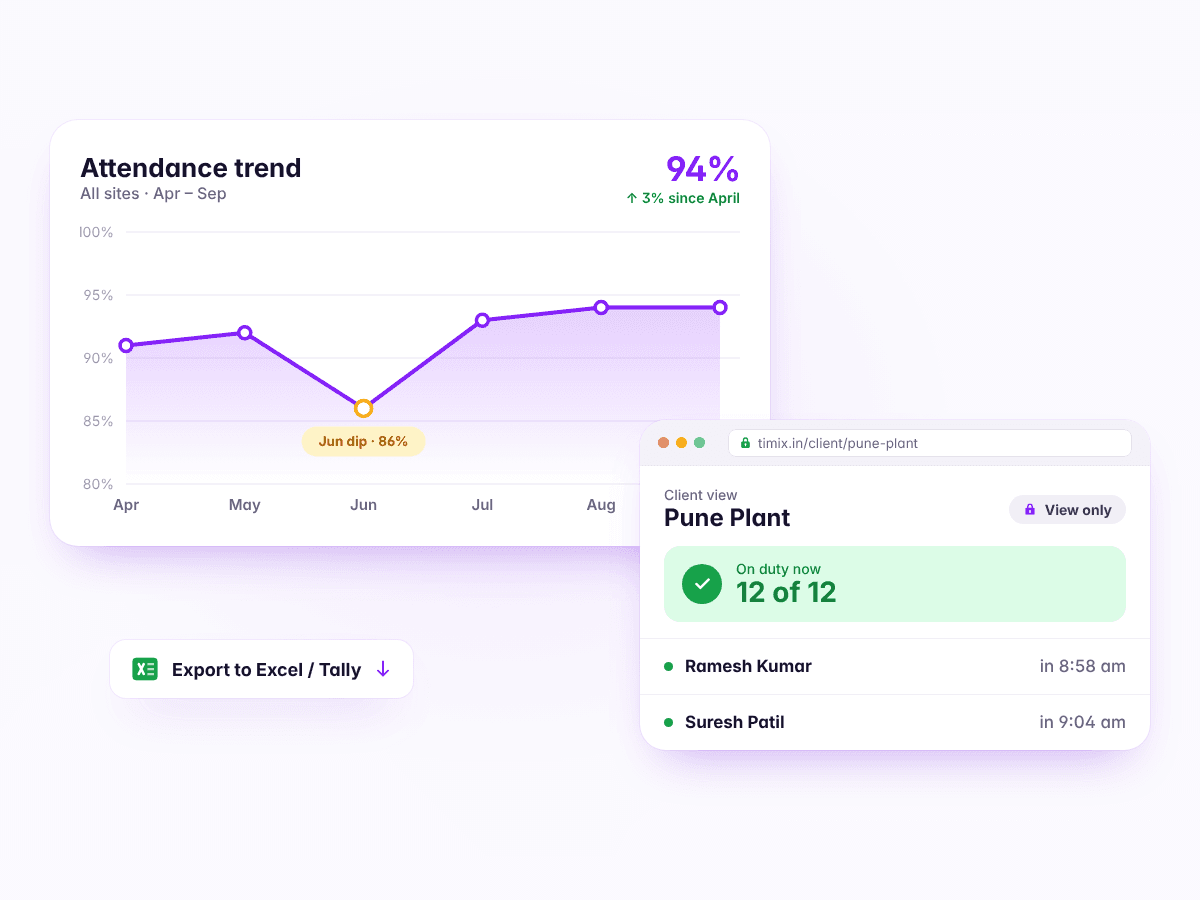
Reporting, analysis & access
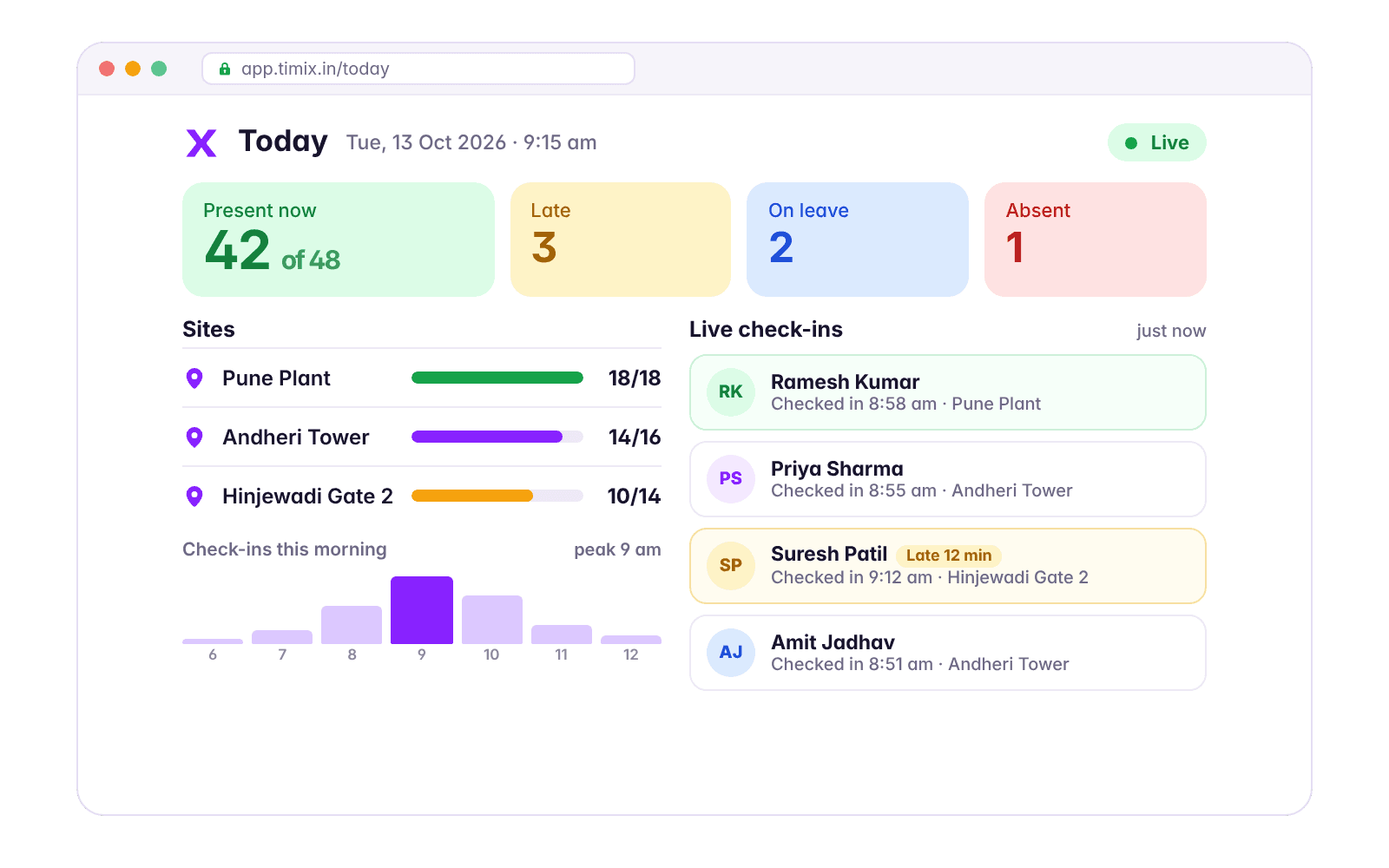
Watch who is on duty as it happens, see the trend across months, export any list to Excel or Tally, approve from your phone, and hand each client a read-only login to the site they pay for.
- Dashboard, analysis & reports
- The owner's app
- Client portal
- Security & data protection
The record
When a client disputes it, you have the record
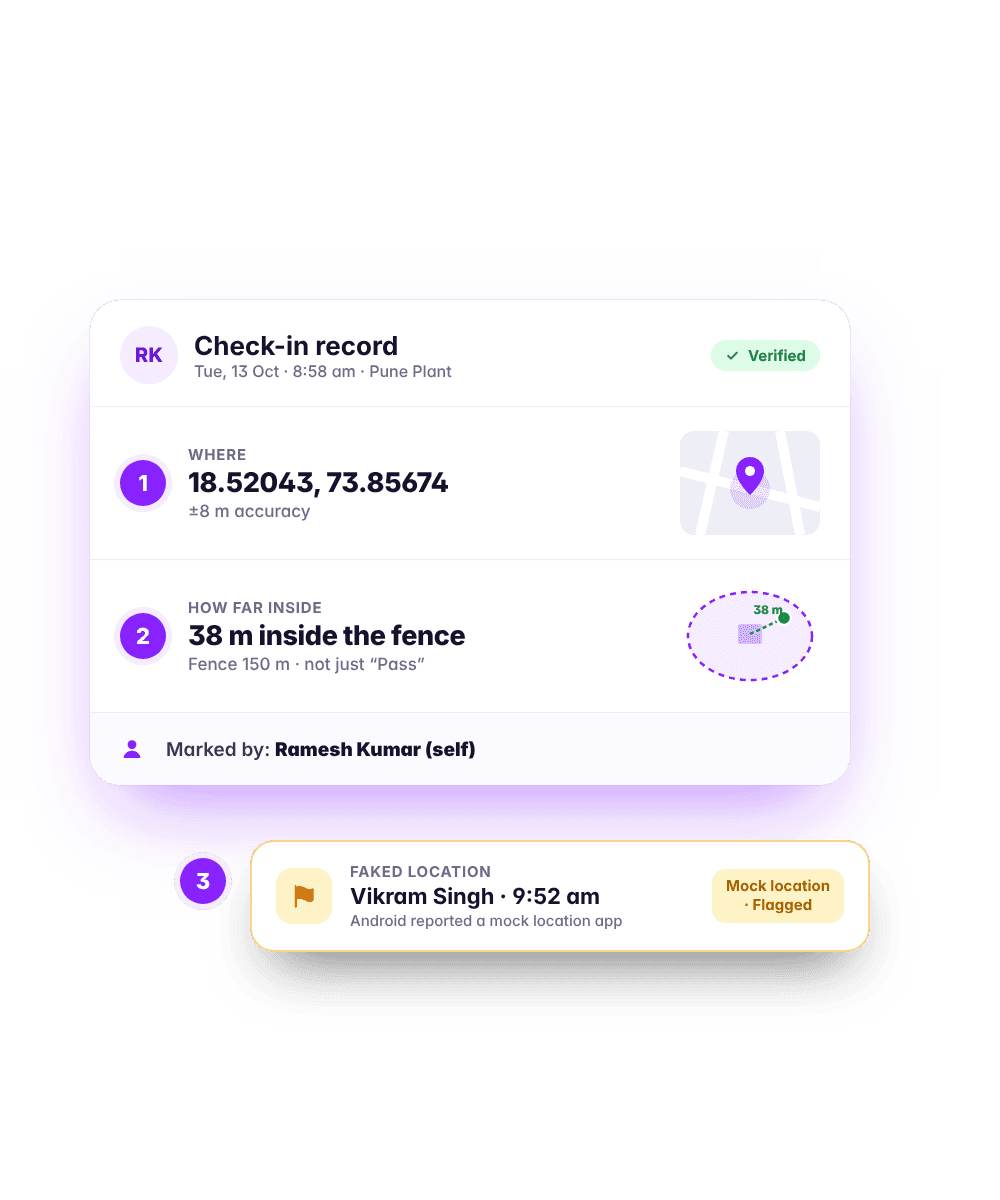
Coordinates, accuracy, metres from the fence, and who marked it. A faked location or a record made on somebody's behalf is flagged rather than quietly dropped — so the exception is visible instead of buried.
- 1Where the phone was, to five decimal places.
- 2How far inside the site fence, in metres — not just pass or fail.
- 3Whether the phone reported a mocked location — flagged, or refused if you've said so.
On their phones
Built for the phones your staff actually own
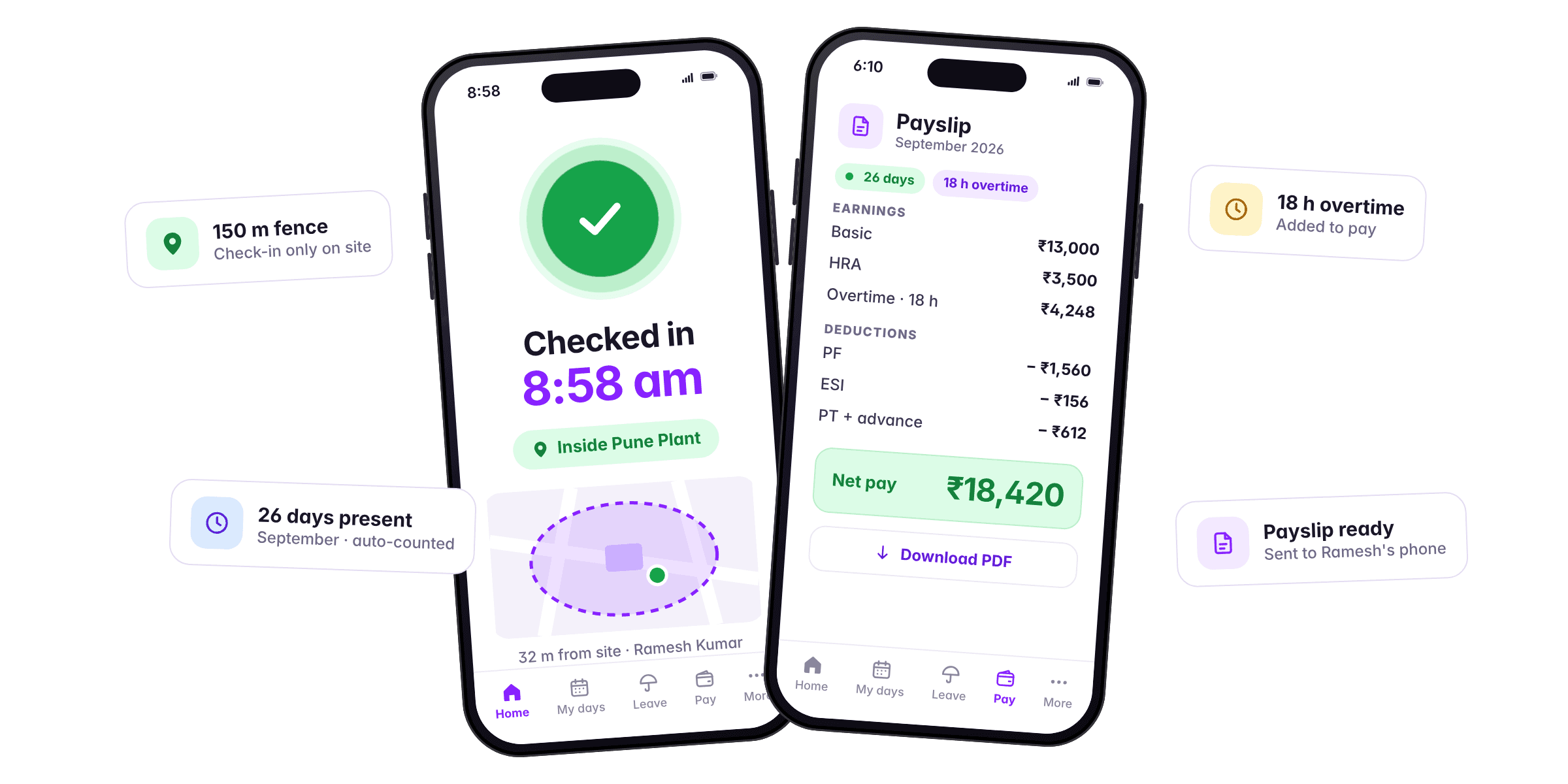
A small install, a fingerprint or a PIN, and check-ins that queue up when there is no signal. If someone's phone is dead, their manager can mark them present — and the record says who did it.
That last part is the question every operations head asks, usually third. The answer is a real feature rather than a workaround: the site manager marks them in from the Timix app on the manager's own phone, inside the site fence, and the record carries both names.
See it running on your own sites
A 20-minute walkthrough with your roster, not a generic demo account.
Field notes